
Account Verification (AIS)
Account Verification confirms that a person or organization owns a bank account. It uses an Account Information Service (AIS): the end user logs in to their own bank, selects an account. Use it when you need a bank-confirmed account number for a legal entity.
How It Works
- Create a session — Call the API with the account holder's identity and a set of redirect URLs. Ping returns a session
idand a hostedurl. - The user verifies their account — Send the user to the
url. Ping hosts the full flow: the user selects their bank, authenticates, and selects an account. - Receive the result — When the session reaches a terminal state, Ping sends a callback to your
status_callback_url. You can also fetch the session at any time to read its status and the verified bank account.
A session expires after 7 days if the user does not complete it.
Supported Countries
The available countries depend on the account holder type.
| Type | Countries |
|---|---|
person | SE, FI, NO |
organization | SE |
Requests outside these combinations are rejected with a validation error. When an identifier is provided, it must belong to the owner of the account selected in the bank.
Create a Session
Request
curl -X POST https://sandbox.pingpayments.com/payments/api/v1/account_verification_sessions \
  --header "tenant_id: <YOUR-TENANT-ID>" \
  --header "x-api-secret: <YOUR-API-SECRET>" \
  --header "Content-Type: application/json" \
  --data '{
    "merchant_id": "<MERCHANT-ID>",
    "status_callback_url": "https://yourapp.com/webhooks/ais",
    "account_holder": {
      "type": "person",
      "identifier": "198307090933",
      "country": "SE"
    },
    "session_options": {
      "locale": "sv-SE",
      "success_url": "https://yourapp.com/ais/success",
      "cancel_url": "https://yourapp.com/ais/cancel",
      "error_url": "https://yourapp.com/ais/error",
      "timeout_url": "https://yourapp.com/ais/timeout"
    }
  }'
Response
{
  "id": "f9c1b0e3-7a44-4f1b-8c2d-1a2b3c4d5e6f",
  "url": "https://ais.pingpayments.com/aGVsbG8x"
}
Parameters
Required Parameters
| Parameter | Type | Description |
|---|---|---|
account_holder | object | The legal entity whose account is being verified. |
account_holder.type | string | Either "person" or "organization". |
account_holder.country | string | Two-letter ISO country code. See Supported Countries. |
session_options | object | Options controlling the hosted session. |
session_options.locale | string | Language of the hosted UI, formatted xx-XX (e.g. "sv-SE"). |
Optional Parameters
| Parameter | Type | Default | Description |
|---|---|---|---|
account_holder.identifier | string | null | National identifier of the account holder: a personal identity number for "person", an organization number for "organization". |
merchant_id | string | null | If supplied, a successful session updates this merchant with the verified legal entity. |
status_callback_url | string | null | URL that Ping calls with status updates. Recommended. |
session_options.iframed | boolean | false | Set to true if you embed the session in an iframe. Only banks that can be embedded are shown. |
session_options.success_url | string | null | Where the user is sent after completing the session. |
session_options.cancel_url | string | null | Where the user is sent if they cancel. |
session_options.timeout_url | string | null | Where the user is sent if the session times out. |
session_options.error_url | string | null | Where the user is sent if an error occurs. |
session_options.manual_add_bank_url | string | null | Where the user is sent if they pick "other bank" from the bank list. |
session_options.session_down_url | string | null | Where the user is sent if they return to a session that has already terminated. |
session_options.styling | object | null | Color overrides for the hosted UI. Every field is an optional CSS color string. |
Response Parameters
| Parameter | Type | Description |
|---|---|---|
id | string | The ID of the session. |
url | string | The hosted session URL. Send the user here, or load it in an iframe. |
The Hosted Session
-
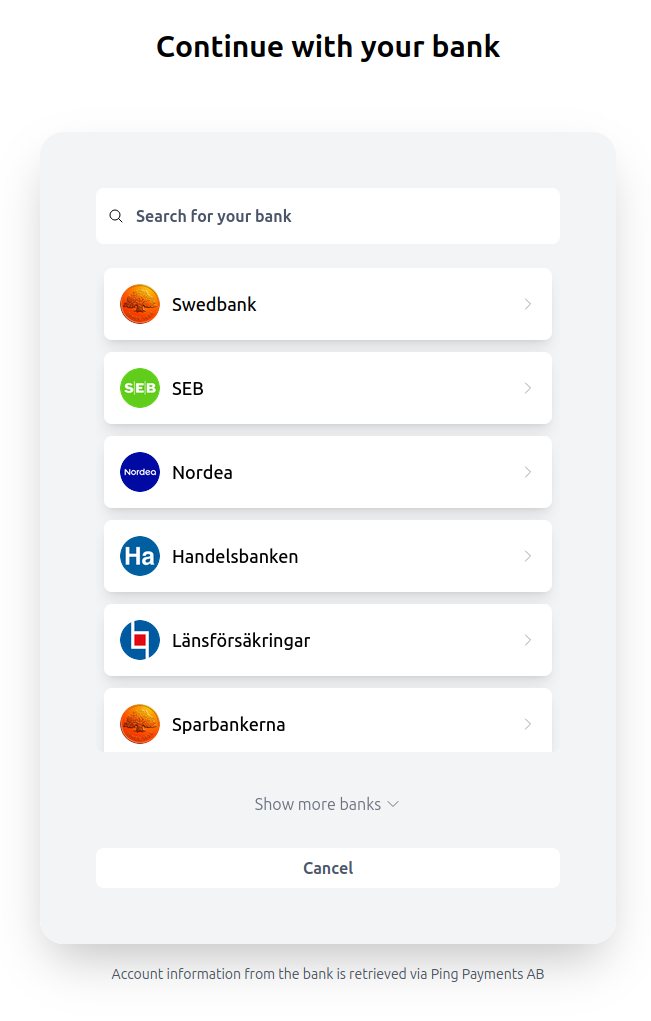
Bank selection — The user picks their bank.
-
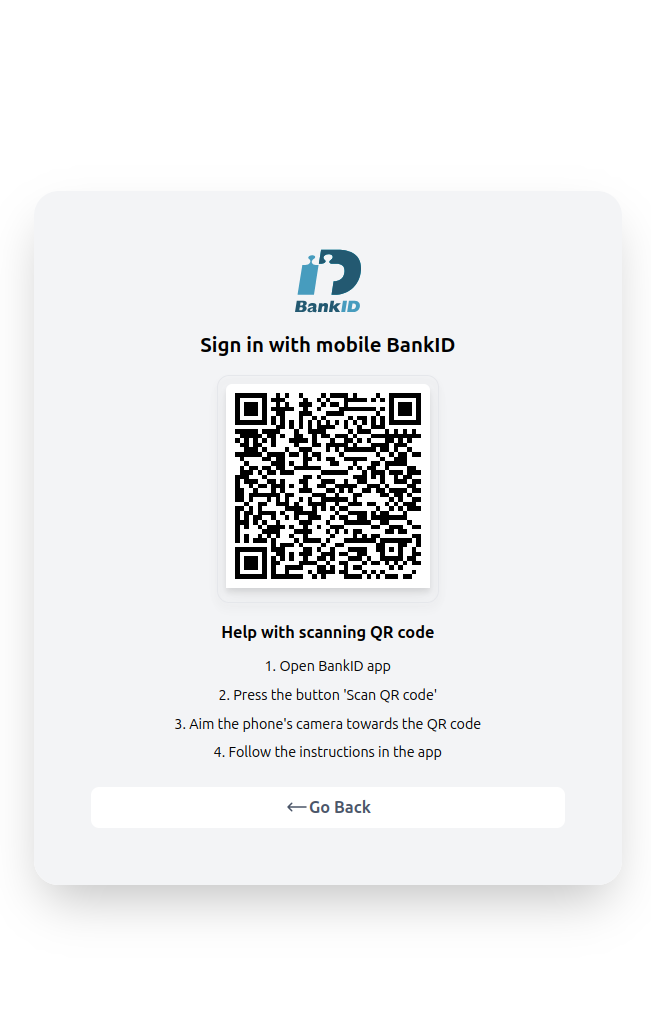
Authentication — The user authenticates with their bank using Strong Customer Authentication (SCA). Depending on the bank, this is either decoupled (the user approves on a separate device, such as the Mobile BankID app, used by most Swedish banks) or a redirect to the bank's own site.
-
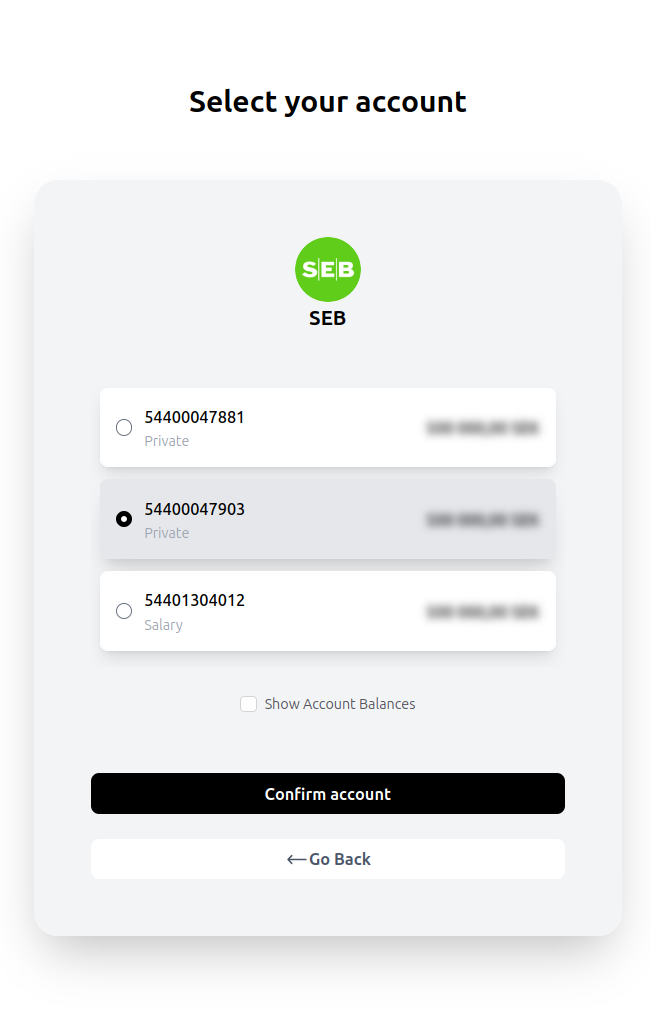
Account selection — The user sees their eligible accounts and picks one.
If the user cancels, the session errors, or it times out, they are redirected to the matching cancel_url, error_url, or timeout_url.
Embedding in an iframe
Note: We recommend the redirect flow over an iframe. Sending the user to the session
urlin the full window is the most reliable option, especially on mobile, and needs no extra client-side code. Only embed the session in an iframe if your platform specifically requires it.
To embed the hosted session, set session_options.iframed to true. Only banks that support being embedded are shown in the bank list. Embedding adds the following considerations that the redirect flow avoids:
BankID on iOS Safari. When the session runs in an iframe, iOS Safari blocks BankID from launching directly. To work around this, the iframe posts a message to the parent window, which must perform the redirect itself. Add this listener to the parent page:
window.addEventListener("message", (e) => {
  if (!e.data) return;
  try {
    const data = JSON.parse(e.data);
    if (data.action === "location_href" && data.href) {
      location.href = data.href;
    }
  } catch (err) {
    console.error(err);
  }
}, false);
The listener is only needed for mobile devices. On desktop, the session shows a BankID QR code inside the iframe and no parent-window handling is required.
Mobile responsiveness. Size the iframe so the session renders correctly across devices.
Cross-origin restrictions. The iframe and your platform are different origins. Make sure your configuration allows the postMessage communication above.
Status Callbacks
If you supply a status_callback_url, Ping sends a POST to it each time the session reaches a terminal state. Respond with 200 OK to acknowledge it.
{
  "id": "f9c1b0e3-7a44-4f1b-8c2d-1a2b3c4d5e6f",
  "status": "SUCCESSFUL",
  "details": {}
}| Parameter | Type | Description |
|---|---|---|
id | string | The ID of the session. |
status | string | The new status. See Statuses. |
details | object | Extra context about why the status was reached. |
Note: The callback does not include the account number. Fetch the session to read the verified
bank_account.
Fetch a Session
Read the current state of a session, including the verified bank account.
curl https://sandbox.pingpayments.com/payments/api/v1/account_verification_sessions/<SESSION-ID> \
  --header "tenant_id: <YOUR-TENANT-ID>" \
--header "x-api-secret: <YOUR-API-SECRET>"{
"id": "f9c1b0e3-7a44-4f1b-8c2d-1a2b3c4d5e6f",
"url": "https://ais.pingpayments.com/aGVsbG8x",
"merchant_id": "b3184b09-41b2-408d-8a4a-9eb928d56b67",
"status_callback_url": "https://yourapp.com/webhooks/ais",
"account_holder": {
"type": "person",
"identifier": "198307090933",
"country": "SE"
},
"status_history": [
{ "status": "PENDING", "details": {}, "occurred_at": "2024-03-14T09:00:00Z" },
{ "status": "SUCCESSFUL", "details": {}, "occurred_at": "2024-03-14T09:02:31Z" }
],
"bank_account": {
"iban": "SE3550000000054910000003",
"account_number": "54910000003",
"clearing_number": "5500",
"currency": "SEK",
"bic": "ESSESESS"
}
}bank_account is null until the session succeeds. status_history lists every status the session has reached, in order.
Statuses
| Status | Description |
|---|---|
PENDING | The session has been created and is in progress. |
SUCCESSFUL | The user verified an account. bank_account is populated. |
ABORTED | The user cancelled the session. |
TIMEOUT | The session expired before completion. |
CRASHED | An unexpected error ended the session. |
SUCCESSFUL, ABORTED, TIMEOUT, and CRASHED are terminal.
Updated 2 months ago